10 modelli gratuiti di promemoria per appuntamenti per ridurre le assenze
Key takeaways
A well-timed reminder can reduce no-shows and late cancellations for businesses.
A combination of email and text reminders gives clients the best opportunity to confirm, reschedule, or cancel in time.
Personalizing reminder copy to your industry builds client trust and reinforces your brand.
Acuity Scheduling sends confirmation, reminder, and follow-up messages automatically, so you never have to track down a client again.
Every missed appointment has a ripple effect. It means lost income, prep work that goes unused, and time on your calendar that sits empty. As these no-shows add up over the course of a month or a year, it can cost your business thousands of dollars, along with the added stress of an unpredictable schedule.
Well-timed appointment reminders help stop that leak. They give clients everything they need to show up on time, or to reschedule before it costs you.
Below you'll find 10 free appointment reminder templates for email and SMS, a phone script for high-touch services, a timing guide, and a quick-reference industry cheatsheet to help you personalize every message.
How much do missed appointments actually cost?
For service businesses, a no-show directly affects revenue, scheduling efficiency, and your ability to serve other clients. When someone doesn't show up and doesn't cancel in advance, that time is gone.
You can't fill a slot you didn't know was open.
How no-shows affect your schedule
No-shows disrupt the flow of your day and create gaps that are difficult to recover from on short notice. They can also affect how you show up for the rest of your clients, especially when your schedule is built to run back-to-back.
For businesses that require preparation—reviewing client history, setting up equipment, or prepping a space—the cost of a no-show starts before the appointment even begins.
Consider a solo hairstylist running a full book: eight clients a day, five days a week, at $80 per appointment. That's $3,200 in potential weekly revenue. At a no-show rate of just 10% (roughly four missed appointments a week) she loses around $320 every week before accounting for products already pulled, time already blocked, or the next client she couldn't fit in.
Over a year, that's more than $16,000 in revenue that simply disappears. And because her schedule runs back-to-back, a single gap at 11:00 AM rarely gets filled on short notice. The hour is lost.
Why reminders are worth sending
While costly, these missed appointments aren’t always intentional. They’re the result of busy schedules, long booking windows, and simple forgetfulness.
A helpful reminder brings the appointment back to the client’s attention and gives them a clear next step: confirm, reschedule, or cancel. The earlier they act, the more time you have to adjust your schedule and offer that spot to someone else.
Reminders also set the tone for your business. Clear, consistent communication shows clients what to expect and builds confidence before they even arrive.
Reminder writing principles: copy, tone, and etiquette
A good reminder message is brief, friendly, and complete. It tells the client exactly what they need to know, gives them a way to take action, and doesn't waste their time.
What every reminder should include
Every appointment reminder—whether it's a text, email, or call—should aim to answer these four questions:
Who: Your business name, so the client knows who's reaching out.
What and when: The service type, date, and time of the appointment.
Where: The location (physical address or video link) or a note that it's virtual.
What next: A link to reschedule or cancel, and any prep instructions if needed.
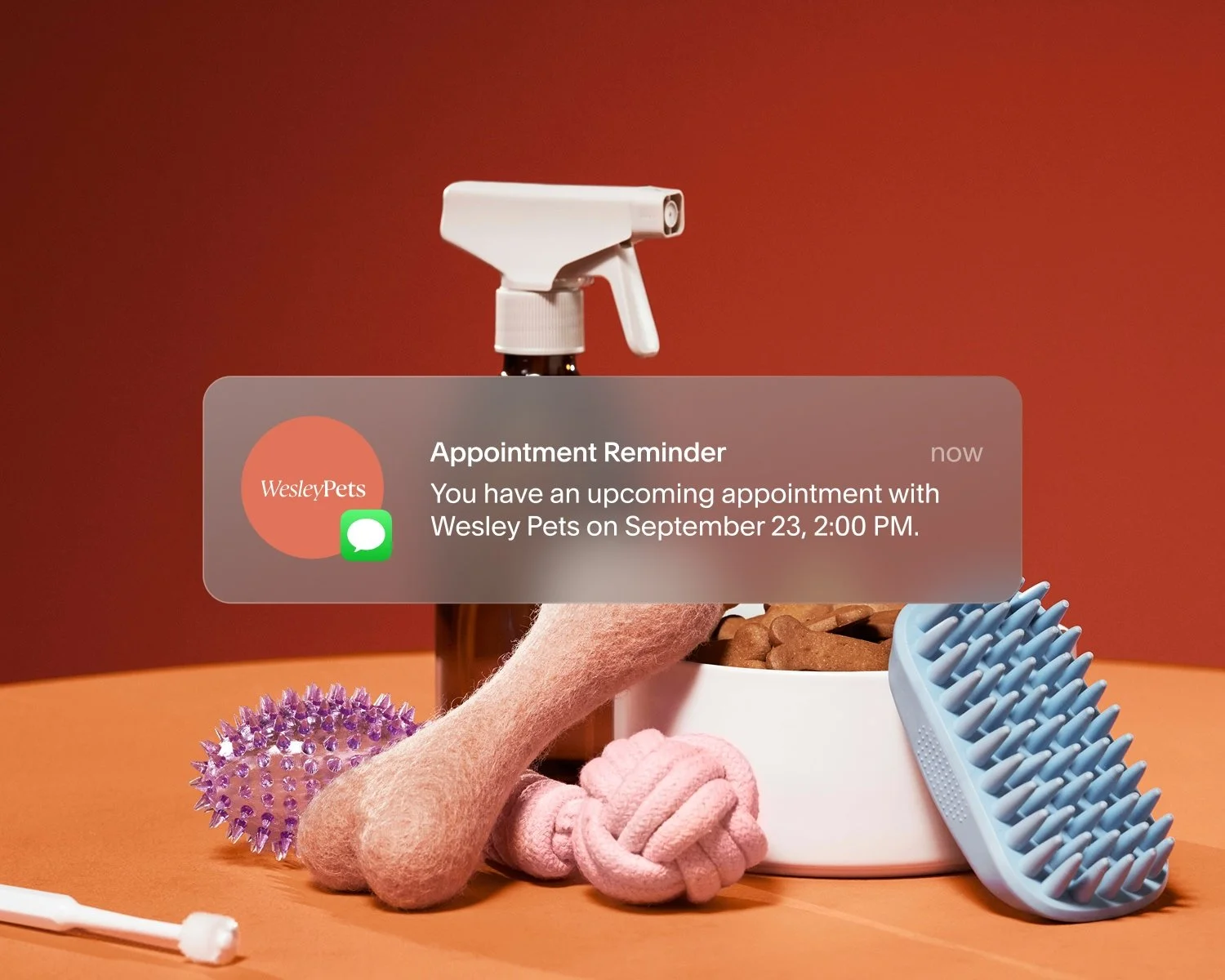
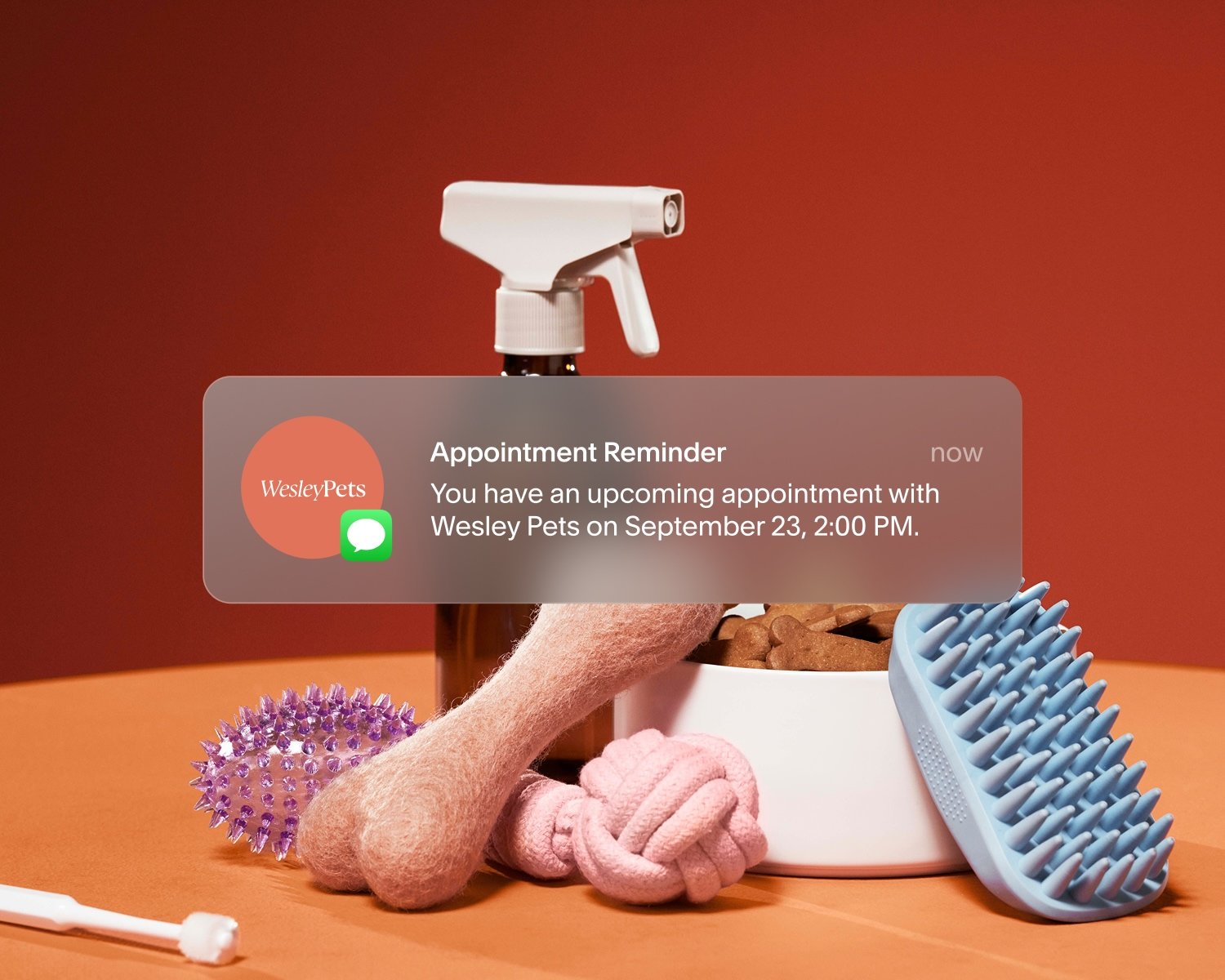
At minimum, it should cover the date and time of the appointment and who it’s with (e.g., “You have an upcoming appointment with Wesley Pets on September 23 at 2:00 PM.”)
Reminder do's and don'ts
Do:
Use the client's first name to keep the message personal.
Include a rescheduling or cancellation link (or instructions).
Keep SMS messages under 160 characters when possible.
Match your tone to your brand.
Proofread every template for spelling, business name, and link accuracy.
Don't:
Send reminders at odd hours (before 8:00 AM or after 8:00 PM).
Use all caps, excessive punctuation, or anything that reads like spam.
Omit the cancellation window or policy—clients need to know the deadline.
Use generic copy that doesn't reflect your business.
Email appointment reminder templates
Email is the backbone of a strong reminder strategy. With Acuity Scheduling, you can send up to three automated email reminders per appointment, along with a booking confirmation the moment a client books, and up to six follow-up emails after the appointment. That gives you multiple touchpoints across the full client journey—before, during, and after every visit.
According to a 2025 Acuity Scheduling survey, 83% of customers say email reminders are very or extremely critical to how their business runs. Use these appointment reminder email templates as a starting point and adapt the details to fit your own business.
Booking confirmation email template
Subject: You're booked! Here are your appointment details
Hi [Client First Name],
Great news, your [Service Name] with [Business Name] is confirmed. Here's everything you need to know.
Appointment details:
Date: [Date]
Time: [Time]
Location: [Address] or [Video link]
Service: [Service Name]
Need to reschedule or cancel? Use the link below. Please give us at least [X hours/days] notice so we can offer your spot to another client.
[Reschedule or Cancel]
We look forward to seeing you.
[Business Name]
When to use: This goes out immediately after a client books. It sets expectations, gives clients a record of their appointment, and reduces confusion before the visit.
Formal professional services email template
Subject: Your appointment on [Date]—details inside
Hi [Client First Name],
This is a reminder that your [Service Name] is scheduled for [Date] at [Time] with [Staff Member Name, if applicable] at [Business Name].
Appointment details:
Date: [Date]
Time: [Time]
Location: [Address] or [Video link]
Service: [Service Name]
If you need to reschedule or cancel, please do so at least [X hours/days] in advance using the link below.
[Reschedule or Cancel]
We look forward to speaking with you.
[Business Name]
When to use: Best for consultants, coaches, accountants, therapists, and other professional service providers who want a clean, structured format.
Casual personal services email template
Subject: See you [Day]! Here's what to know
Hi [Client First Name],
Just a quick note to remind you about your upcoming [Service Name] on [Date] at [Time]. We're at [Address], and parking is [available on the street / in the lot out front / details].
If anything changes, no problem. Use the link below to reschedule or cancel. Just give us at least [X hours] notice so we can offer your spot to another client.
[Reschedule or Cancel]
Looking forward to seeing you.
[Your Name / Business Name]
When to use: Great for hair stylists, massage therapists, nail technicians, estheticians, and other personal care providers who want a warmer, more conversational tone.
Prep-required reminder email template (forms or documents)
Subject: Action needed before your [Date] appointment
Hi [Client First Name],
Your [Service Name] with [Business Name] is coming up on [Date] at [Time]. Before you arrive, there are a few things to take care of.
Please complete before your appointment:
[Item 1, e.g., Fill out your intake form: Link]
[Item 2, e.g., Review our cancellation policy: Link]
[Item 3, e.g., Bring a valid ID and your insurance card]
Completing these in advance helps us stay on schedule and give you the full attention you deserve.
Need to reschedule? [Reschedule or Cancel Link]
See you [Day],
[Business Name]
When to use: For any appointment that requires the client to complete intake forms, bring documentation, or follow preparation steps. Common in wellness, healthcare, fitness, and consulting. Send 48 to 72 hours before the appointment so clients have enough time to act.
Missed appointment re-engagement email template
Subject: We missed you—let's get you rescheduled
Hi [Client First Name],
We noticed you weren't able to make your [Service Name] on [Date]. These things happen, and we'd love to see you when you're ready.
Click below to find a new time that works for you.
[Book a New Appointment]
If you have any questions or need help with rescheduling, feel free to reach out.
[Business Name]
When to use: Send within 24 hours of a no-show. Keep the tone warm and non-judgmental. This is about keeping the relationship, not placing blame.
Post-appointment follow-up email template
Subject: Thanks for coming in, [First Name]
Hi [Client First Name],
It was great to see you today. We hope your [Service Name] was everything you needed.
When you're ready to book your next visit, it only takes a minute.
[Book Your Next Appointment]
Thanks again, and we hope to see you soon.
[Business Name]
When to use: Send within a few hours of the appointment ending. It closes the loop, encourages rebooking, and leaves clients with a positive last impression. Use this template as your first touchpoint, then space additional follow-ups based on your typical rebooking window. You may even consider offering a discount on their next service as an incentive.
SMS appointment reminder templates
Text messages reach clients faster than almost any other channel. Ninety percent of SMS messages are read within three minutes of delivery, according to Validity. For time-sensitive reminders, SMS is hard to beat—57% of Acuity Scheduling customers rate them as very or extremely critical to their business.
With Acuity, you can send one appointment reminder text per booking. The templates below cover a range of send times, from 72 hours to just two hours out. Choose the timing that fits your cancellation window and your clients' habits.
Acuity's default SMS reminder template
You have an upcoming appointment with [Business Name] on [Date] at [Time]. Sent via Acuity.
This is the message Acuity sends by default before your appointment. Once you verify your business information and phone number, you can customize the content to better reflect your brand and give clients more detail.
48 to 72-hour SMS reminder template
Hi [First Name], your [Service] with [Business Name] is on [Date] at [Time]. [Address or link]. Need to reschedule or cancel? [Link]. See you soon.
Best for: Appointments that require advance preparation, such as completing forms, gathering documents, or following pre-appointment instructions. Sending earlier gives clients enough time to act before the cancellation window closes. Works well for wellness, healthcare, and consulting businesses.
24-hour SMS reminder template
Hi [First Name], just a reminder that your [Service] with [Business Name] is tomorrow at [Time]. [Address or link]. Need to make changes? [Link].
Best for: Most service businesses as a reliable default. A 24-hour reminder gives clients enough notice to reschedule without cutting it too close, and it arrives while they're likely planning their next day.
Two-hour SMS reminder template
Hi [First Name], your [Service] with [Business Name] is in two hours at [Time]. [Address or link]. Running late? Give us a call at [Phone Number].
Best for: When urgency matters more than lead time. A two-hour reminder works well for same-day appointments, high-volume schedules, or businesses whose clients tend to run behind. It gives clients just enough time to confirm they're on their way or to reach out if something has changed.
Phone call reminder script (high-touch services)
Some services benefit from a personal call, especially for first-time clients, long or complex appointments, or high-priced services where a no-show has significant financial impact.
"Hi, this is [Your Name] calling from [Business Name]. I'm reaching out to confirm your [Service Name] scheduled for [Date] at [Time] at [Location]. If you need to reschedule or have any questions before your appointment, please give us a call at [Phone Number] or use the link in your confirmation email. We're looking forward to seeing you. Have a great day."
Keep call reminders brief, clear, and friendly. If you reach voicemail, deliver the same message without rushing. Always leave a callback number.
When to send appointment reminders: timing and cadence
Sending the right reminder at the right moment matters as much as what the message says. Here's a simple framework to follow.
| Reminder type | When to send | Channel |
|---|---|---|
| Booking confirmation | Immediately after booking | |
| First reminder | 48–72 hours before (if prep required) | Email or SMS |
| Second reminder | 24 hours before | Email or SMS |
| Third reminder | Two hours before (optional) | Email or SMS |
| Post-appointment follow-up | Within a few hours of session end | |
| No-show re-engagement | Within 24 hours of missed appointment |
If you're using both email and SMS reminders, a reliable two-touch sequence is a 24-hour email reminder followed by a same-day reminder text. Add a third email reminder for appointments that require prep or have a longer lead time.
Industry cheatsheet: personalizing your reminder copy
The templates above work for any service business. A few small adjustments can make them feel even more relevant to your clients. Here are quick copy tweaks by industry.
Beauty and salon services
Replace "[Service Name]" with the specific service: "your balayage appointment," "your lash fill," or "your gel manicure." Add a note about arrival time if clients need to check in before their appointment starts.
"Arrive five minutes early so we can get you settled and started on time."
For hair appointments: include a reminder about any preparation ("come with dry hair" or "no product in hair") and your cancellation window.
For lash appointments: include a prep note such as "please arrive with clean, makeup-free lashes."
Fitness, sports, and recreation
Keep the tone grounded and practical. Include location details for studio-based classes or outdoor sessions.
"Your [Yoga / Spin / Personal Training] session is [Date] at [Time] at [Studio Name]. Bring water, wear comfortable clothes, and arrive a few minutes early if it's your first visit."
For personal training appointments: include any equipment the client should bring or a note about the session's focus if it varies week to week.
Education, instruction, and training
Instructors, tutors, music teachers, and ceramics studios benefit from reminders that include what the student should bring or prepare.
"Your [Piano / Ceramics / Tutoring] session is [Date] at [Time]. Please bring [materials / your instrument / completed practice pages]. See you soon."
Healthcare and wellness
Professionalism and clarity matter here. Always include the full appointment time, location, and any required documents.
"This is a reminder of your [Service Type] appointment on [Date] at [Time] at [Practice Name], located at [Address]. Please arrive 10 minutes early and bring [insurance card / completed intake form / photo ID]."
For massage appointments: include a reminder about health history forms if they haven't been completed online.
For medical or dental appointments: include parking details and check-in instructions, especially for new clients.
Coaches and consultants
Use a direct, professional tone. Include the video link or dial-in details prominently.
"Your [Coaching / Strategy / Consulting] session with [Name] is [Date] at [Time]. Join here: [Video Link]. Please have [any prep materials or questions] ready. Looking forward to our conversation."
Pet and animal services
Keep the tone friendly. Include what the client should bring (vaccination records, leash, food) and any notes about drop-off or pick-up timing.
"Hi [Client Name], this is a reminder that [Pet Name]'s [Service Name] is scheduled for [Date] at [Time] at [Business Name]. Please bring [current vaccination records / leash]. Drop-off opens at [Time]."
Creative, professional, and business services
For photographers, designers, architects, or other project-based professionals, reminders can double as session prep.
"Your [Discovery Call / Shoot / Review Session] is [Date] at [Time]. We'll be meeting at [Location / via this link: Link]. Please have [mood board / brief / reference materials] ready beforehand."
Automate your appointment reminders with Acuity Scheduling
Writing reminder templates is just the first step. Actually sending them—consistently, at the right time, to every client—is where most businesses lose ground. Manual check-ins are easy to forget, especially on a busy day.
With Acuity Scheduling, confirmation messages, reminders, and follow-ups go out automatically for client bookings. You set the timing and content once, and Acuity handles the rest.
Promemoria via e-mail
Email reminders are available on all Acuity plans. By default, clients get one reminder email, but you can send up to three and set when each one goes out relative to the appointment. Customize the email template subject line and body text, and use variables to automatically pull in client and appointment details, including name, service, date, time, and location.
SMS reminders
Text reminders are available on select Acuity plans (Standard and Premium) in supported countries. Because Acuity sends one SMS reminder per appointment, choose the timing that fits your cancellation policy and your clients' habits. When you verify your phone number, you can customize the text message content. Clients will only receive text reminders if they opt in and provide a mobile number at booking. Check your current plan to confirm SMS availability before setting this up.
A note on follow-up emails
Beyond reminders, Acuity also supports automated follow-up emails sent after an appointment. You can send up to six follow-ups per appointment, spaced out over up to one year. Use these to encourage rebooking, request a review, or share any post-appointment care instructions relevant to your service.
Once your notifications are set up, every new booking triggers the full sequence automatically. You stay focused on your clients. The follow-through takes care of itself.
Thanks to these tools and protections, 75% of Acuity customers have fewer no-shows.
For setup instructions, visit the Acuity Help Center.
Your clients are ready to show up. Make it easy for them.
Try Acuity Scheduling free and set up your first automated reminder in minutes.




FAQ
What is an example of an appointment reminder text?
An appointment reminder text should be short, clear, and include the key details. Here's an example: "Hi [Client Name], just a reminder that your [Service] with [Business Name] is on [Date] at [Time]. Need to reschedule? Give us a call." Keep it under 160 characters when possible.
How do you politely remind someone about an appointment?
Use the client's first name, keep the message brief, and lead with the most important information: what the appointment is and when it's happening. Avoid overly formal language or anything that sounds like a warning. A friendly, direct tone works well for most service businesses.
When is the best time to send an appointment reminder?
Send your first reminder 24 hours before the appointment, ideally mid-morning between 9:00 AM and noon. A second reminder two hours before the appointment adds a useful nudge for same-day no-shows. Avoid sending reminders too early in the morning, late at night, or during hours your clients are unlikely to check their phones.
What information should be included in an appointment reminder?
Every reminder should include your business name, the client's name, the service type, the date and time, the location or video link, and instructions on how to reschedule or cancel when appropriate. For appointments that require preparation, add a short list of what the client should bring or complete beforehand.
Should I use SMS or email for appointment reminders?
Both work well, and using both may give you the best results. SMS is a reliable channel for time-sensitive reminders. Email supports more detail and, with Acuity, up to three automated reminders per appointment, making it the stronger channel for the full reminder sequence. A reliable two-touch sequence sends a 24-hour email reminder followed by a same-day SMS a few hours before the appointment.
How many reminder emails can I send with Acuity Scheduling?
Acuity sends one booking confirmation email automatically when a client books. Beyond that, you can enable up to three reminder emails per appointment and schedule each one at a different interval—for example, 48 hours before, 24 hours before, and two hours before. You can also send up to six follow-up emails after the appointment.
Can I personalize appointment reminders for different services?
Yes, and you should. A reminder for a 90-minute deep tissue massage session should read differently than one for a 30-minute haircut or a virtual coaching call. Customize the service name, any prep instructions, and the tone to match what your client is coming in for. The industry cheatsheet in this post includes quick copy tips for beauty, fitness, coaching, healthcare, and more.